
🚨 Notifications
Farmhand sends order updates and alerts via SMS (text message) and email. You can choose which channels you'd like to receive notifications on and add secondary contacts who should also get your updates.
Accessing Notification Settings
Go to Account in the main navigation, then select Notifications.
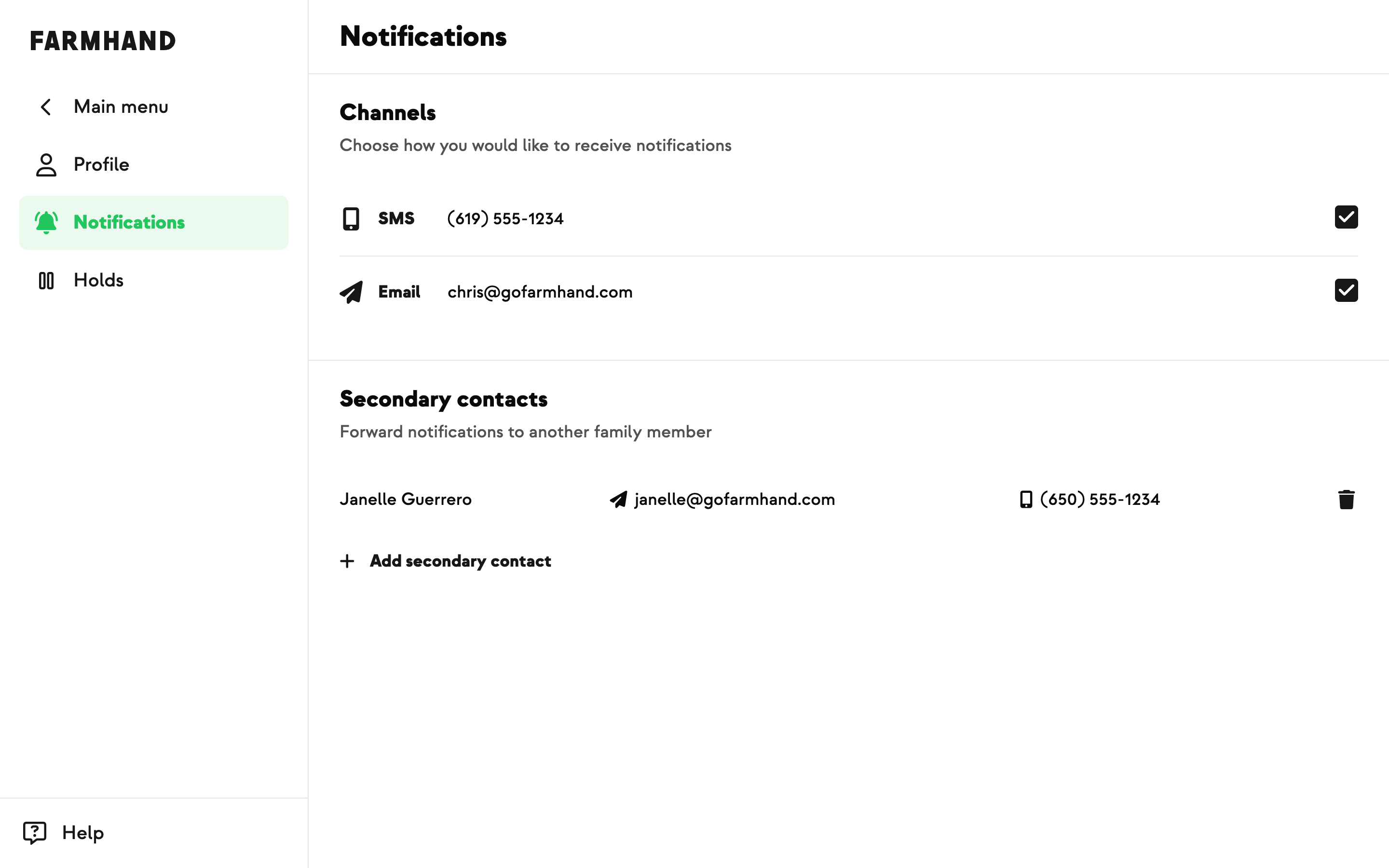
Notification Channels
At the top of the page, you'll see checkboxes for the two notification channels:
SMS — Receive text message notifications to the phone number on your account.
Email — Receive email notifications to the email address on your account.
Toggle each channel on or off based on your preference. After making changes, tap Save changes to update your settings.
Secondary Contacts
Want someone else to receive your order notifications too? You can add secondary contacts who will get the same updates you do.
Adding a Secondary Contact
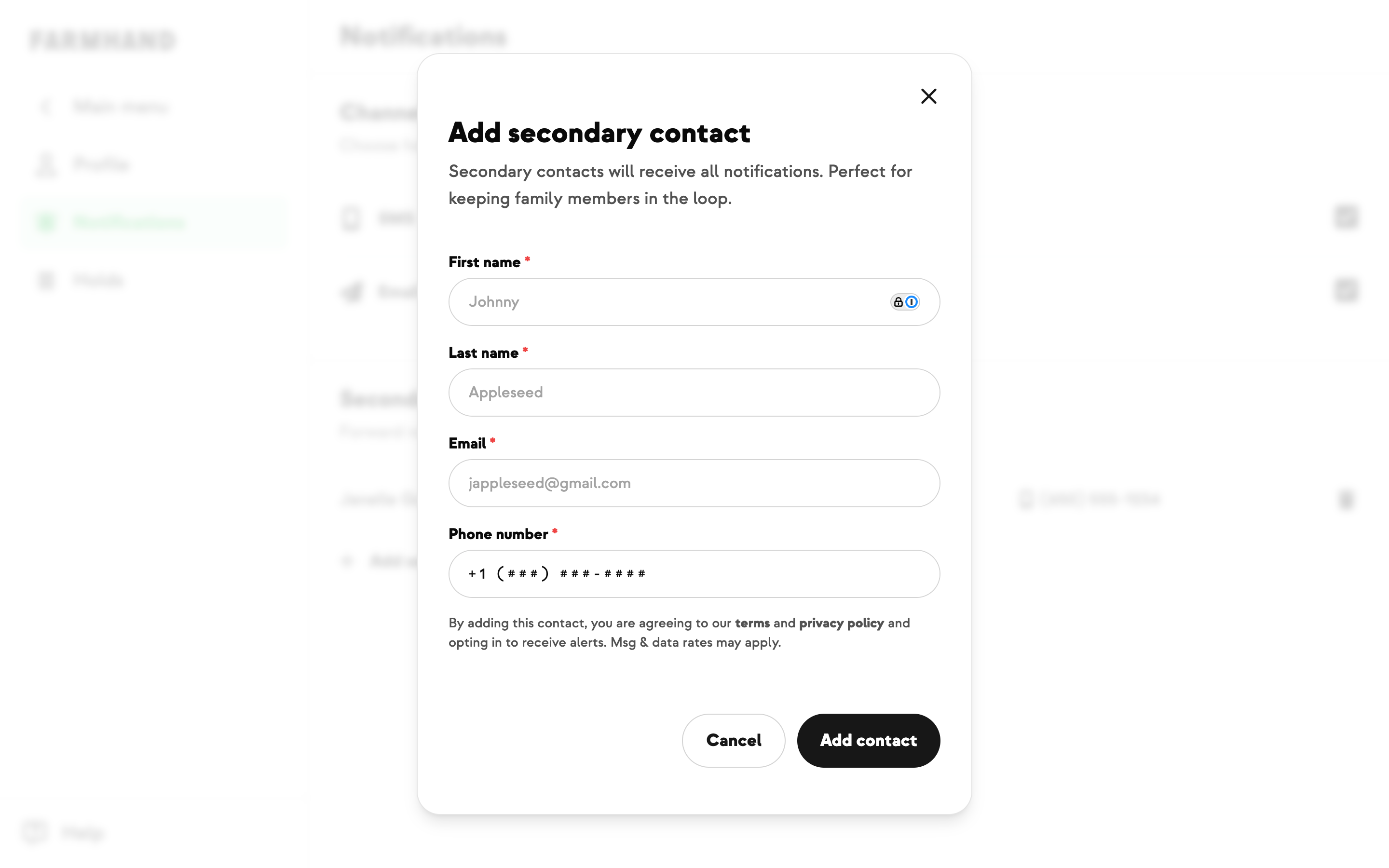
Tap Add secondary contact.
Fill in their first name, last name, email address, and phone number.
Tap Save to add them.
The new contact will appear in the table below and begin receiving notifications based on your channel settings.
Viewing Secondary Contacts
Each secondary contact is listed with their name, email address, and phone number.
Removing a Secondary Contact
Tap the delete icon next to the contact you want to remove.
Confirm the removal in the dialog that appears.
The contact will stop receiving notifications immediately.