
⏸️ Pause or Cancel Your Subscription
Easily manage existing subscriptions — and add new ones! — from the "Subscriptions" tab in your Farmhand dashboard. Click the ✏️ Edit button on an existing subscription to make changes.
⏸️ Pause Your Subscription
Going out of town? If your farm allows it, you can pause upcoming orders instead of cancelling.
To pause everything, place an account hold for the dates you'll be away/do NOT want an order.
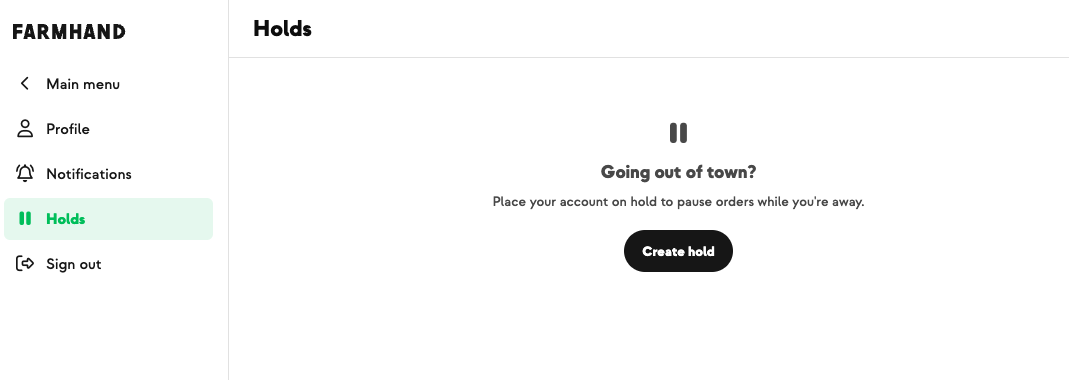
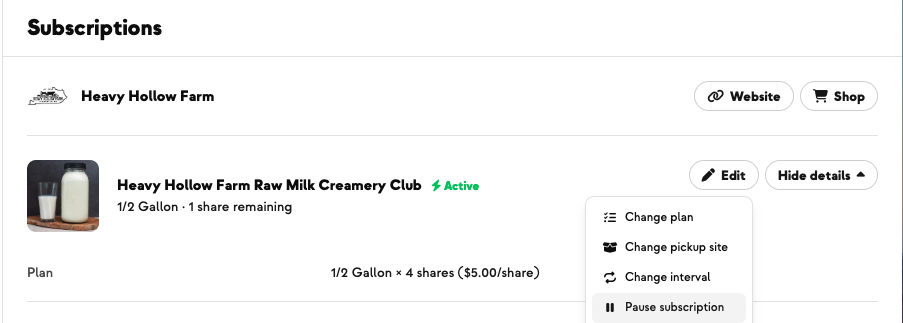
To pause just one add-on (like an egg, bread, or flower share) and keep your main share coming, navigate to the "Subscriptions" tab, and click the ✏️ Edit button → Pause Subscription. Choose your date range, and click Save.
Note: You will not receive order notifications or be charged during an account hold.
🚫 Cancel your subscription
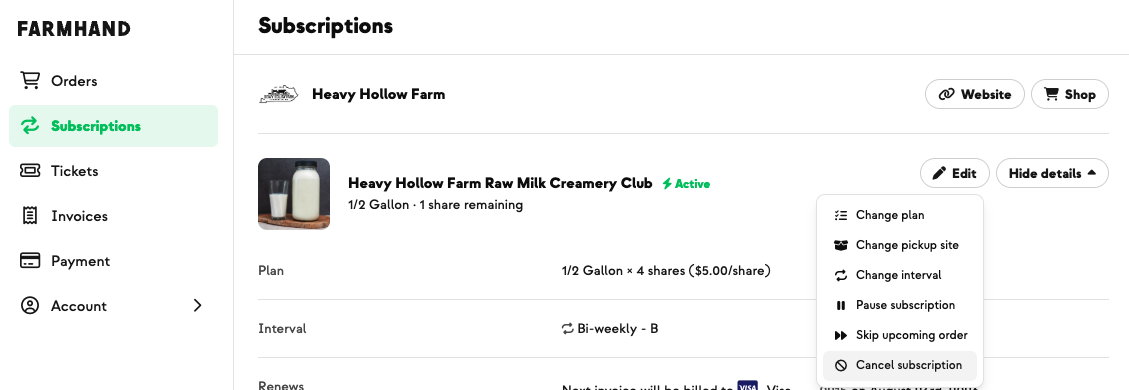
If you'd rather stop right away, you can cancel any time.
Click the Subscriptions tab in your dashboard.
Click ✏️ Edit next to the plan you'd like to cancel.
Choose Cancel now.
Tell us briefly why (the farm appreciates this feedback!), then click Confirm cancellation.
if you have pre-paid shares, you'll have an option to disable auto-renew and use those credits before fully cancelling, or to cancel immediately and forfeit them
Please note: this only cancels the subscription you're editing. If you'd like to fully end your membership with the farm, you'll need to do this for each active subscription.
As always, reach out directly to Farmhand with any questions.