
📦 What's in the Box
Your upcoming and past orders both live in the Orders tab of your Farmhand dashboard. Click into your upcoming order and select View Details for an itemized list of everything coming your way, along with your pickup or delivery day, time, and location.
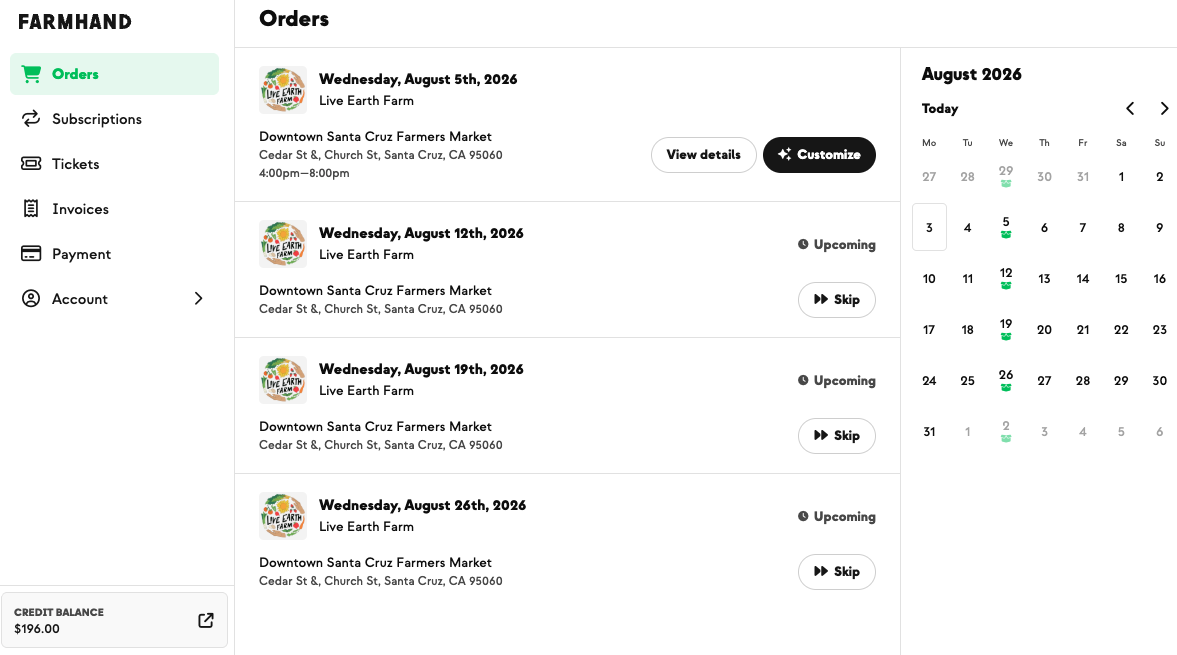
➡ Order Details
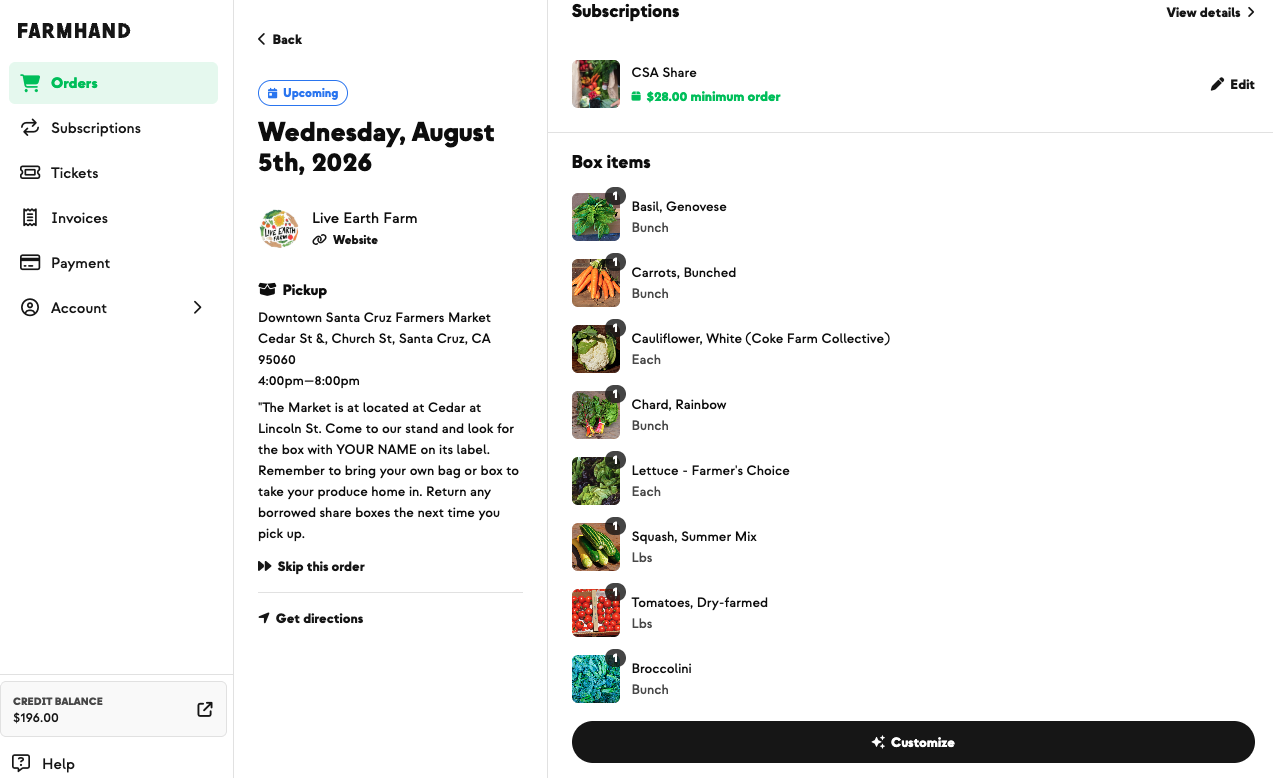
Clicking into "Order Details" will provide an itemized list of what you're enrolled for in your next order, along with pickup and delivery times and details.
🥬 When your box contents appear
Your farmer builds each week's box and then publishes it. Your items appear on your order as soon as they publish it — which is often before the weekly newsletter goes out.
That means the fastest way to see what's coming is usually your order details page, not your inbox.
Timing varies by farm. Some publish early on harvest day; others publish alongside the newsletter. If your box looks empty, your farmer likely hasn't published yet — check back, or watch for your weekly harvest alert.
🧺 If you have add-ons
Add-on boxes are listed separately from your main share, each with its own contents. If you're customizing your main share and want to see what's already in your add-on boxes first, both appear on the same order details page.
✏️ If you're on a customizable plan
If your farm curates a default box each week, you'll see their selections on your order details page along with the Customize button. You can swap or adjust from there — here's how.
📦 What else is on this page
Your order details page is also where you:
Skip your order, or double up on a later delivery
Shop add-ons to add extras
Customize your box, if you're on a customizable plan
All of these are available until your weekly cutoff.