💸 Credits
Customizable Member Using Prepaid Credits? See the step-by-step guide.
Your farm may issue credits to your account — for example, as a refund, a promotional offer, or a goodwill gesture. Credits are automatically applied to your next invoice, so there's nothing you need to do to redeem them.
Viewing Your Credits
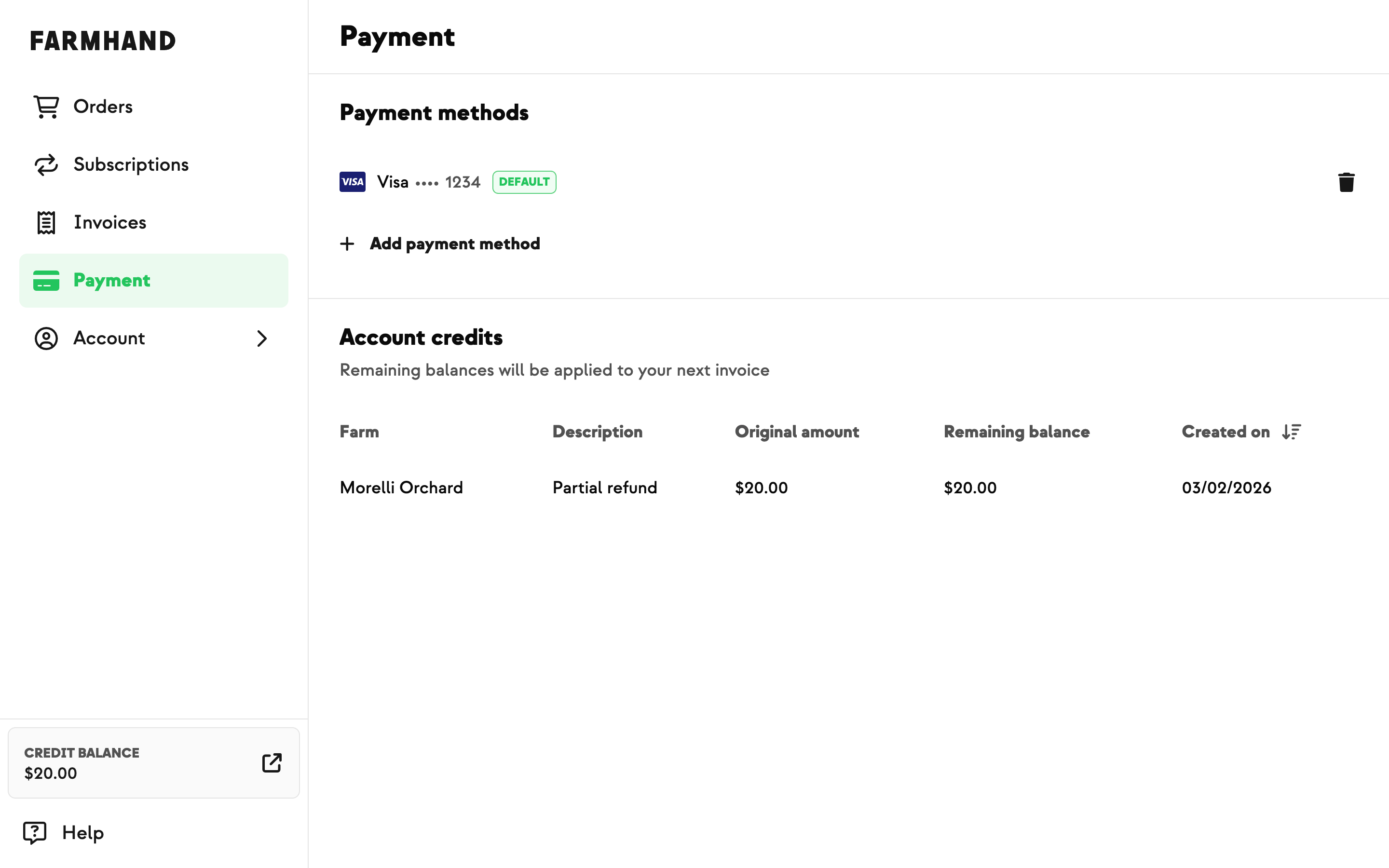
Credits are listed in the Account Credits section of the Payment page. To find them:
Tap Account in the main navigation.
Select Payment.
Scroll down to the Account Credits section.
Note: The Account Credits section only appears if you have one or more credits on your account.
Your total credit balance is also displayed in the main navigation for easy reference.
Once your order is processed at the weekly cutoff, any available credit will be automatically applied toward that payment.
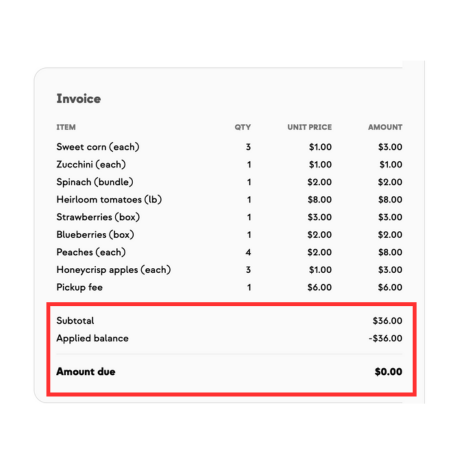
You can also check the Orders tab, which updates automatically with the products in your cart and provides an invoice showing the Applied Balance (which will be deducted from your credit balance.)